Chapter 23: bootcmd, bootargs, FIT images
A U-Boot prompt tells you that the bootloader reached its command loop. What must happen next? It must place a kernel and the right hardware description in usable RAM, choose where Linux will find its files, then transfer control. These are separate operations. A successful file transfer does not prove the kernel can mount root, and a correct command line does not repair a wrong DTB.
On an MCU, the linker script and startup code often fix those decisions at build time. Here, part of the policy is text in U-Boot’s environment, a set of named string values. We will follow that text into Linux, then package the kernel and DTB into a FIT, or Flattened Image Tree.
Start with Chapter 19’s vendor MINI build, source commit edb7ca5ac4be2d978be60a2a12c61e0b6d1f7feb, config mx6ull_alientek_emmc_defconfig, in ~/imx6ull/src/uboot-mini-vendor. The FAT/eMMC helper below follows that command set. The subsequent SD/PARTUUID, control-FDT and FIT examples use Chapter 22’s separate upstream v2026.04 migration, commit 88dc2788777babfd6322fa655df549a019aa1e69, in ~/imx6ull/src/u-boot. Do not assume modern features exist in the vendor build.
Vendor policy names Linux’s imx6ull-alientek-emmc.dtb; modern examples use local imx6ull-pa-mini.dtb. Both must be kernel DTBs from matched Part IV builds, checked for the actual MINI revision. Neither permits an EVK DTB or Chapter 22’s U-Boot control DTB as the kernel tree.
Example boundary: These builds provide source/API evidence, not board validation. Target examples require qualified DDR, bootloader and memory map. Host packaging needs no board. No media writes, persistent settings, key enrollment or fuse programming are needed.
23.1 bootcmd, U-Boot’s autoboot
bootcmd is a string evaluated by U-Boot’s command interpreter during autoboot. bootdelay is the runtime delay setting, with CONFIG_BOOTDELAY as its build-time default; negative values have special meanings. The Chapter 19 example patches and Chapter 22 migration disable autoboot. Typing run emmcboot or run sdboot still executes a helper manually.
Before writing a helper, answer three questions: which storage device/partition has the files, where may they fit in RAM, and what should happen if a load fails? The following addresses are a worked layout, not a universal i.MX6ULL memory map:
Buffer |
Example start |
Planned file window |
|---|---|---|
|
|
Less than 16 MiB before the next buffer |
|
|
Less than 1 MiB, with room for later DT expansion/relocation |
|
|
A separate small script buffer |
|
|
Less than 16 MiB for the complete FIT |
Use these numbers only after checking actual DDR banks and reserved ranges, U-Boot relocation/stack/heap/control FDT, kernel decompression workspace and the uncompressed kernel destination. bdinfo helps inspect U-Boot’s layout but is not a complete kernel-memory planner. Host file sizes must fit their planned windows before loading; a successful transfer can already have overwritten another object if the file was too large.
Start with the vendor’s eMMC/FAT route
Normal vendor mapping is MMC 0 for USDHC1/SD and MMC 1 for USDHC2/eMMC. Published policy uses eMMC partition 1 for boot files and /dev/mmcblk1p2 for Linux root. Confirm mmc list, contents and kernel enumeration: U-Boot indices do not guarantee Linux names. The vendor enables older CONFIG_SYS_HUSH_PARSER, FAT loading and bootz; Chapter 19’s FAT compatibility fix belongs to that old build.
After verifying the RAM plan above, define a temporary helper requiring both files and argument construction:
=> setenv kernel_addr_r 0x82000000
=> setenv fdt_addr_r 0x83000000
=> setenv fdtfile imx6ull-alientek-emmc.dtb
=> setenv emmcargs 'setenv bootargs console=ttymxc0,115200 root=/dev/mmcblk1p2 rootfstype=ext4 ro rootwait'
=> setenv emmcboot 'if mmc dev 1 && mmc rescan && fatload mmc 1:1 ${kernel_addr_r} zImage && fatload mmc 1:1 ${fdt_addr_r} ${fdtfile} && run emmcargs; then bootz ${kernel_addr_r} - ${fdt_addr_r}; else echo eMMC load or arguments failed; false; fi'
=> run emmcboot
The root path is the documented vendor assumption, not universal advice. Stop if it is not the intended device/partition. Inspect help fatload, help bootz and active environment. The helper neither writes media nor saves settings. Chapter 19’s example patches use RAM environment/no autoboot; the unmodified vendor header selects a persistent MMC backend.
Modern SD route with PARTUUID
The rest of this section uses the modern migration. Chapter 22 enables CONFIG_CMD_PART=y and CONFIG_PARTITION_UUIDS=y for part uuid. Keep hush, generic filesystem/MMC support and CONFIG_CMD_BOOTZ=y. Inspect final config and help part before relying on it; do not infer support from the vendor command set.
For the next example only, assume verified U-Boot MMC device 0, boot-files partition 1, and an ext4 root partition 2. These are not guaranteed to be the same indices Linux later uses. The board’s routed console must match ttymxc0 at 115200 baud. Enter the commands at U-Boot, without copying the => prompt:
=> setenv kernel_addr_r 0x82000000
=> setenv fdt_addr_r 0x83000000
=> setenv fdtfile imx6ull-pa-mini.dtb
=> setenv sdargs 'setenv bootargs console=ttymxc0,115200 root=PARTUUID=${rootuuid} rootfstype=ext4 ro rootwait'
=> setenv sdboot 'if mmc dev 0 && mmc rescan && part uuid mmc 0:2 rootuuid && load mmc 0:1 ${kernel_addr_r} zImage && load mmc 0:1 ${fdt_addr_r} ${fdtfile} && run sdargs; then bootz ${kernel_addr_r} - ${fdt_addr_r}; else echo SD load or arguments failed - staying in U-Boot; false; fi'
=> run sdboot
part uuid obtains the root partition’s identifier instead of guessing /dev/mmcblk0p2. It requires the partition/UUID command support in your build. Confirm that the identified partition is actually the intended root filesystem. load reads a filesystem file; it is not a raw-sector loader. Its available filesystems depend on the config.
The example uses the hush parser (CONFIG_HUSH_PARSER=y). Single quotes preserve ${...} while defining a helper, so values expand when run executes it. && continues only after success. The else branch deliberately returns failure with false, making it useful inside another helper too.
Argument construction is a prerequisite as well: run sdargs must succeed before bootz. Writing it as run sdargs; bootz ... would allow a failed environment update to leave an old command line in use. The FIT example uses the same gate before bootm.
Why not load ...; load ...; bootz ...? A semicolon continues after a failed command. RAM may still contain yesterday’s kernel or DTB, or a partial new transfer. A failed load must block the boot command, even if the address looks plausible. The v2026.04 load documentation describes its status and filesize result.
A successful bootz normally does not return to the prompt. If it fails before handoff, U-Boot remains available for inspection. Keep helpers temporary while debugging. Only after the complete chain is understood would setenv bootcmd 'run sdboot' change this session’s autoboot policy; it does not make that policy persistent.
Read inherited policy before replacing it
The pinned vendor header, not its small defconfig alone, defines default policy. Trace findfdt, loadimage, loadfdt, mmcboot and netboot. Its fdt_file=imx6ull-alientek-emmc.dtb is a Linux filename, not a carrier/PHY detector. Storage helpers use FAT and mmcdev starts from the environment device, normally 1.
Published policy repeats mmc dev, permits DT-less fallback through boot_fdt=try, and does not fully gate the network kernel load. These are reasons for our helper, not patterns to retain. Chapter 19’s example patches disable automatic use and networking; inspect the binary rather than assuming patches were applied elsewhere.
For comparison only, configs/mx6ull_14x14_evk_defconfig in v2026.04 supplies this EVK command, reformatted for reading. It is not the modern MINI default; Chapter 22 replaces it with an empty command:
run findfdt;
mmc dev ${mmcdev};
if mmc rescan; then
    if run loadbootscript; then
        run bootscript;
    else
        if run loadimage; then
            run mmcboot;
        else
            run netboot;
        fi;
    fi;
else
    run netboot;
fi
EVK helpers live in include/configs/mx6ullevk.h. Its findfdt uses fdt_file, not our fdtfile, and chooses EVK/ULZ-EVK filenames from board-name/revision strings. Neither these nor similarly named vendor helpers detect the safe kernel tree for a changed carrier.
A boot.scr is a packaged command script loaded by loadbootscript and executed by source; it is not plain text that U-Boot silently reads on every board. A stored environment from an old image can also override compiled defaults. On qualified hardware, inspect printenv bootcmd and each referenced variable. On the host, trace them in the versioned source without claiming that your board has those defaults.
23.2 bootargs, the kernel command line
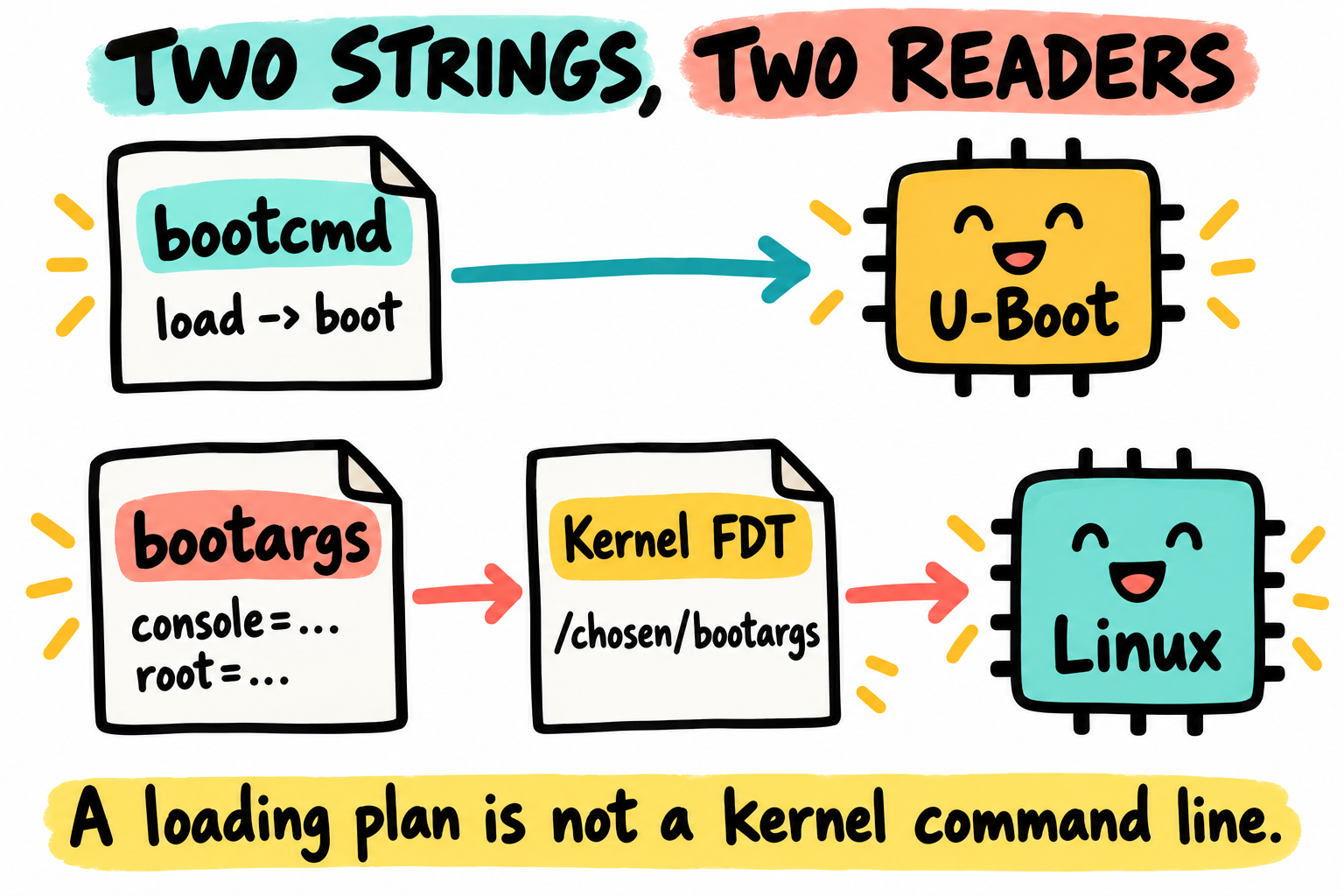
Two strings have different readers. U-Boot executes the loading plan, then prepares the kernel tree and command line for Linux. This kernel FDT is not U-Boot’s control tree.
bootcmd belongs to U-Boot. bootargs supplies a candidate Linux command line. In the normal DT boot path, U-Boot places it in /chosen/bootargs, a string property of the kernel FDT. Linux interprets the words, subject to its own build-time command-line policy. A board hook or forced/extended CONFIG_CMDLINE policy can change the final result. Once Linux is running, /proc/cmdline is the evidence for what it received.
For an ext4 root partition, our sdargs helper constructs:
console=ttymxc0,115200 root=PARTUUID=<actual-root-partition-id> rootfstype=ext4 ro rootwait
The bracketed identifier above is explanatory, not literal input. Each field answers a different question:
Token |
Question it answers |
Prerequisite or limit |
|---|---|---|
|
Where should the normal serial console appear? |
Matched DT UART route and built-in i.MX console driver; not required for every possible Linux system |
|
Which partition is mounted as |
Correct partition identifier and built-in storage/partition support, unless an initramfs supplies it |
|
Which filesystem is expected? |
Does not add the ext4 driver; it must be available before root mount |
|
Initial read-only or read-write mount? |
Userspace may later remount; |
|
Wait for discovery of the block root device? |
Does not repair a wrong identifier, unsupported filesystem or NFS timeout |
Useful diagnostic tokens are not universal fixes:
Token |
Meaning and boundary |
|---|---|
|
Use that executable after mounting the real root. It must exist with its interpreter/libraries. It cannot recover an unmountable root. |
|
Select an executable in the initramfs. Its presence changes the early-userspace path. |
|
A request to userspace init; the selected init implementation decides what it means. |
|
Reduce console messages or permit debug-level messages. |
|
Request a reboot after a panic delay; omit while you need to read a failure. |
|
An early polled i.MX UART console, only if that UART is already initialized and matches the board route and kernel support. |
|
Ask the kernel’s built-in IP autoconfiguration to use DHCP, if enabled and a server exists. It is not U-Boot DHCP. |
|
Ask Linux to mount network root. Ethernet, IP and NFS prerequisites are developed in Chapter 24. |
The Linux parameter reference documents these kernel-side options. Check it against the kernel release/config selected in Part IV; pinning U-Boot does not also pin Linux.
Do not append a debug token and assume it survives run bootcmd. A helper such as sdargs can overwrite bootargs immediately before boot. Change the helper that constructs it, or perform a controlled manual boot without calling that helper. Keep the previous value in your notes and restore it after the experiment. No saveenv is needed for one-shot testing.
Where bootargs ends up in the DT
In v2026.04, the normal path reaches fdt_chosen() in boot/fdt_support.c, via OS FDT preparation in boot/image-fdt.c. The weak board_fdt_chosen_bootargs() defaults to returning the environment’s bootargs. The vendor uses older common/fdt_support.c and does not configure this board with the modern control-FDT setup. Trace each release’s callers rather than assuming identical paths. The resulting kernel property looks like this:
chosen {
    bootargs = "console=ttymxc0,115200 root=PARTUUID=... rootfstype=ext4 ro rootwait";
};
Do not edit the control FDT to change the kernel command line. fdt addr -c queries U-Boot’s control tree. fdt addr ${fdt_addr_r} selects a loaded working FDT, which can become the kernel tree. The fdt command is not itself a file loader, and boot preparation may later relocate/fix up the tree. The v2026.04 FDT command documentation explains both roles.
After a successful, size-checked kernel-DTB load, a gated inspection is:
=> if load mmc 0:1 ${fdt_addr_r} ${fdtfile}; then fdt addr ${fdt_addr_r}; fdt print / model; fdt print /chosen; else echo DTB load failed; false; fi
This shows the loaded tree before boot-time fixups, so a missing or old bootargs property at this stage is not proof that Linux will receive no command line. Do not change the control address or expand a tree into unreserved live RAM as a diagnostic shortcut.
23.3 bootm, bootz, booti, what’s the difference
Choose by image format and enabled architecture support, not by filename extension alone:
Command |
Input |
This board path |
|---|---|---|
|
A Linux |
The ordinary 32-bit ARM route here; needs |
|
A FIT or supported legacy uImage |
FIT needs |
|
Supported Linux |
Used on architectures such as arm64/RISC-V, not an alternative for this ARMv7-A zImage |
For a raw initramfs, bootz needs address:size. For example, after all three loads succeed and their regions have been reserved:
bootz ${kernel_addr_r} ${ramdisk_addr_r}:${ramdisk_size} ${fdt_addr_r}
Save ramdisk_size from ${filesize} immediately after the successful initramfs load; a later DTB load replaces filesize. Use - in that position if no initramfs is supplied. These details are in the v2026.04 bootz reference. A valid gzip/cpio initramfs also requires the kernel’s initrd/decompressor support and an executable /init with its dependencies.
A FIT uses its own named subimages/configurations. It is not a zImage renamed to .itb, and bootm does not invoke bootz as a shell helper. For our FIT below, U-Boot starts an ARM zImage payload that performs its own decompression; compression = "none" means no additional outer compression for U-Boot to undo.
23.4 Boot scripts, a slightly nicer layer
Suppose you want the same reviewed commands on two lab cards without retyping them. A script can do that, but only if the boot policy explicitly loads and executes it. A script is executable policy, not a harmless configuration file.
Open ~/imx6ull/boot/boot.cmd in an editor. Use the approved address map and storage assumptions from Section 23.1. The following complete script gates both loads and obtains the root partition ID:
if mmc dev 0 && mmc rescan && part uuid mmc 0:2 rootuuid && load mmc 0:1 ${kernel_addr_r} zImage && load mmc 0:1 ${fdt_addr_r} ${fdtfile} && setenv bootargs console=ttymxc0,115200 root=PARTUUID=${rootuuid} rootfstype=ext4 ro rootwait; then
    bootz ${kernel_addr_r} - ${fdt_addr_r}
else
    echo Storage, image load or argument construction failed
fi
exit 1
The final exit 1 is outside the conditional. It reports failure if any prerequisite fails or if bootz returns instead of handing control to Linux. A successful kernel handoff never reaches it. Do not rely on a trailing false, or an exit buried in a nested conditional, to supply the final status of this multiline old-hush script. The v2026.04 exit reference describes leaving the innermost script. Single-line prompt helpers above still use false for their failure branch.
Use the v2026.04 build’s host tool, not an unrelated system mkimage:
$ . ~/imx6ull/scripts/env.sh
$ cd ~/imx6ull/boot
$ ~/imx6ull/build/u-boot-mini-2026.04/tools/mkimage \
    -A arm -O linux -T script -C none -n 'MINI SD lab boot' -d boot.cmd boot.scr
$ ~/imx6ull/build/u-boot-mini-2026.04/tools/mkimage -l boot.scr
This creates a legacy script image. On a qualified board, with the file already staged by an approved procedure and scriptaddr reserved separately:
=> setenv scriptaddr 0x84000000
=> if load mmc 0:1 ${scriptaddr} boot.scr; then source ${scriptaddr}; else echo Script load failed; false; fi
CONFIG_CMD_SOURCE=y and legacy image support are required for this example format. The script must already have kernel_addr_r, fdt_addr_r and fdtfile set; inspect them before sourcing it. A plain boot.cmd cannot be executed by this legacy source path. The v2026.04 source reference also describes FIT scripts. Neither a legacy CRC nor an unsigned script gives authentication; do not allow it to bypass a product’s verified-boot policy.
23.5 FIT, Flattened Image Tree
With separate files, how do you record that a particular kernel belongs with a particular DTB? FIT gives them names inside one container and lets a configuration choose the combination. It can also carry a ramdisk or other firmware, but those are optional. One bundle simplifies release bookkeeping; it does not make the underlying storage update atomic.
First make the build support explicit. In your own v2026.04 build, use make O=... menuconfig, inspect/save the resulting .config, and ensure CONFIG_FIT=y, CONFIG_SHA256=y and CONFIG_CMD_BOOTM=y. Keep CONFIG_CMD_BOOTZ, hush, filesystem and DT command support for the preceding examples. Do not assume vendor or EVK configs enable FIT just because bootm exists. The unsigned example below does not need CONFIG_FIT_SIGNATURE or keys.
This FIT example belongs to the modern build, not the initial vendor image. Host tool capabilities alone do not establish target FIT support.
A FIT image source file (.its)
In a new staging directory under ~/imx6ull/boot, place matched kernel zImage and kernel imx6ull-pa-mini.dtb artifacts. Record their build/config/board revision and sizes. The following boot.its is a complete kernel + DTB, hash-only example; it does not depend on a rootfs archive from a chapter you have not reached yet:
/dts-v1/;

/ {
    description = "MINI lab kernel and kernel DTB";
    #address-cells = <1>;

    images {
        kernel-1 {
            description = "ARM Linux zImage";
            data = /incbin/("zImage");
            type = "kernel";
            arch = "arm";
            os = "linux";
            compression = "none";
            load = <0x82000000>;
            entry = <0x82000000>;
            hash-1 {
                algo = "sha256";
            };
        };

        fdt-1 {
            description = "Matched MINI kernel DTB";
            data = /incbin/("imx6ull-pa-mini.dtb");
            type = "flat_dt";
            arch = "arm";
            compression = "none";
            load = <0x83000000>;
            hash-1 {
                algo = "sha256";
            };
        };
    };

    configurations {
        default = "conf-mini";
        conf-mini {
            description = "Qualified board revision recorded with artifacts";
            kernel = "kernel-1";
            fdt = "fdt-1";
        };
    };
};
The load/entry values must match the approved RAM/decompression plan, not just the source filenames. Build and list the container from that staging directory:
$ . ~/imx6ull/scripts/env.sh
$ ~/imx6ull/build/u-boot-mini-2026.04/tools/mkimage -f boot.its boot.itb
$ ~/imx6ull/build/u-boot-mini-2026.04/tools/mkimage -l boot.itb
$ stat -c '%n %s bytes' zImage imx6ull-pa-mini.dtb boot.itb
$ sha256sum zImage imx6ull-pa-mini.dtb boot.itb
Listing the FIT checks packaging/metadata, not whether either payload can run. Load the complete FIT into its separate approved buffer. Set the root/console command line for the intended rootfs before boot, for example by running sdargs after obtaining rootuuid for the same verified root partition:
=> setenv fit_addr_r 0x85000000
=> if mmc dev 0 && mmc rescan && part uuid mmc 0:2 rootuuid && load mmc 0:1 ${fit_addr_r} boot.itb && run sdargs; then bootm ${fit_addr_r}#conf-mini; else echo FIT load, root identification or arguments failed; false; fi
The #conf-mini suffix chooses a FIT configuration; it is not a signing option. Keep it adjacent to the address. Do not load the container at the kernel’s load address: extracting the kernel there could overwrite the DTB and other still-needed data inside the FIT. The v2026.04 bootm reference documents configuration selection.
What do the SHA-256 nodes buy you? With verification enabled, U-Boot can detect payload corruption against the stored hashes. An attacker who can replace the FIT can replace both payload and hash. Integrity hashes are not authentication. Authentication requires signature support, trusted keys held outside the untrusted FIT, required verification and a policy that prevents unsigned alternate boot paths. NXP HAB authenticating the ROM-loaded bootloader and U-Boot authenticating a FIT are distinct links in a trust chain. See the v2026.04 signature documentation. this example creates no keys, provisions no trust anchor and changes no fuses.
An optional initramfs belongs in a ramdisk subimage and the selected configuration must reference it. For a rootfs.cpio.gz payload, do not blindly tell U-Boot to decompress it before Linux receives it: use the outer-compression convention appropriate to the boot path, commonly compression = "none", with Linux doing the gzip unpacking. Audit CONFIG_BLK_DEV_INITRD, gzip support, /init, libraries, size and RAM reservations first. A configuration with an executable initramfs /init is not the same boot experiment as direct NFS-root.
Why this matters in Chapter 24E
Several configurations can reference different kernel DTBs. Chapter 24E develops board-identity selection. Choosing a configuration is a hardware decision: an EEPROM/strap value and a DTB must describe the same qualified revision. A valid FIT structure cannot prove that match. Keep this chapter to one reviewed configuration before adding variants.
23.6 Practical boot-command idioms
Quick recovery boot (sh as init)
If root mounts but normal init fails, temporarily change sdargs to include init=/bin/sh, then use the same gated sdboot. The shell must exist and be executable, including its dynamic loader/libraries. Prefer a read-only root while inspecting.
That shell is PID 1, not an ordinary login session. Exiting it can panic the kernel; shutdown/reboot tools may assume a normal init service that is absent. Use the rootfs’s documented recovery procedure and synchronize any intentional writes before a controlled reset. Do not use init=/bin/sh as a cure for root=/dev/nonsense: root mounting happens first.
NFS-root development loop
Keep the loader and root choice separate. A TFTP loader can hand the same kernel a local-root or NFS-root command line. Chapter 24 defines a gated devel_boot and builds bootargs immediately before it. U-Boot ipaddr/serverip configure U-Boot, while Linux needs its own ip=/nfsroot= and built-in drivers. Modules on an NFS root cannot provide the driver needed to reach that root in the first place.
Boot from a USB stick
USB mass storage is a host-mode path, unlike ROM USB serial download. The vendor header enables host/storage code, but that is not board validation. Chapter 22’s modern minimum deliberately excludes USB and has no ready-to-use host command/controller. Enable and validate host/storage support, connector role and power first. With the same approved RAM map and a prepared stick whose device/partition mapping you have checked:
=> if usb start && load usb 0:1 ${kernel_addr_r} zImage && load usb 0:1 ${fdt_addr_r} ${fdtfile}; then bootz ${kernel_addr_r} - ${fdt_addr_r}; else echo USB load failed; false; fi
Set bootargs beforehand for the intended root. Reading the kernel from USB does not imply Linux’s root is also on USB. usb start initializes hardware; it is not a host-only syntax test.
Boot the same kernel with two different DTBs
Only compare DTBs appropriate for the same physical board/revision, such as a reviewed peripheral-description change. After reset, reload both artifacts through a gated helper and select the intended fdtfile. Do not substitute arbitrary MINI revisions as a safe experiment: a wrong DTB can drive incorrect regulators, pads or clocks even if Linux accepts the blob’s syntax. Record source revisions so you can attribute the observed difference.
23.7 Diagnose the last completed boot stage
What was the last operation that actually completed? A mount failure is a different problem from a failed image load. Use that evidence before changing another command-line token:
Observation |
Checks before another boot |
Why a cmdline-only fix may fail |
|---|---|---|
Loader reports failure or wrong image format |
File path, command support, image metadata, approved sizes and load status |
No kernel should be started after this failure |
No text after handoff |
Correct kernel DTB, console UART/driver, early-console support, DDR and entry/decompression map |
A wrong pad/clock or corrupt image can look like a console typo |
Root device cannot be found |
Actual partition ID, built-in MMC/storage/partition drivers and discovery messages |
|
Root device found but mount fails |
Filesystem type/support and image contents |
|
Root mounts but init fails |
Init path, execute permissions, interpreter, architecture/ABI and libraries |
|
NFS-root waits or times out |
Kernel Ethernet/IP/NFS support, link, server address/export and RPC/firewall path |
A U-Boot ping tests a different network stack |
FIT hash verification fails |
Restage the reviewed artifacts/container and keep the failure evidence |
Do not disable verification to make it boot |
23.8 Key Notes
bootcmdis U-Boot execution policy, whilebootargsbecomes a candidate Linux command line through the OS FDT. Helpers and kernel configuration can alter what/proc/cmdlineultimately reports.Each load and argument-construction step must succeed before handoff. Semicolons alone can continue after failure and reuse stale payloads or a stale command line.
RAM ownership includes staging buffers, kernel decompression, FDT growth and U-Boot’s runtime reservations. File-size checking belongs before the transfer, not after possible overlap.
bootz,bootmandbootiselect supported image/architecture paths. A filename extension or metadata string does not convert a payload’s format or architecture.FIT configurations bind named payloads into a selected set. Hash-only verification detects corruption but does not authenticate the producer or enforce an allowed board combination.
Root discovery, filesystem mounting and starting init are separate Linux dependencies. An
init=/bin/shchoice cannot repair an unreachable root and still requires a usable shell runtime.
23.9 Pitfalls
Expansion at the wrong time. Single-quote helper definitions. A plain
setenvassignment is not a recursive environment evaluator;runexecutes the stored command string.A later helper overwrites diagnostics. Inspect the command that actually constructs
bootargs, not just its earlier printed value.Stale RAM and stale
filesize. Gate every load; preserve an initramfs size immediately. A failed load is not permission to reuse old data.Confusing the two FDTs. The control tree describes U-Boot’s hardware/drivers and can hold trust keys. The working/kernel tree is prepared for Linux. Do not modify the control tree casually.
Saving too early.
setenvis transient.saveenvwrites a configured storage backend, and Chapter 22’s modern migration has none; Chapter 19’s example patches also use RAM-only storage, unlike the unmodified vendor header. Production persistence needs a reviewed layout/recovery policy.Wrong format or architecture.
bootmconsumes FIT/legacy images, not an arbitrary raw zImage.arch = "arm64"metadata does not convert a 32-bit ARM payload.Hashes mistaken for authorization. A valid hash-only FIT is not signed, and an optional signature is not necessarily enforced. Do not treat a successful example boot as verified boot.
23.10 Going deeper
Use the versioned bootm, bootz, source and FDT references alongside the actual config. FIT documentation lives in doc/usage/fit/ in this release, not an assumed old doc/uImage.FIT/ path.
For the Linux half, follow the kernel command-line reference and the matched kernel source/config in Part IV. The NFS-root reference helps distinguish direct kernel mounting from initramfs-controlled early userspace.
Next chapter: Chapter 24: Workflows: TFTP, NFS, USB-OTG. We will use the same load/handoff contract with files served from the host, while keeping network-root and recovery prerequisites explicit.